
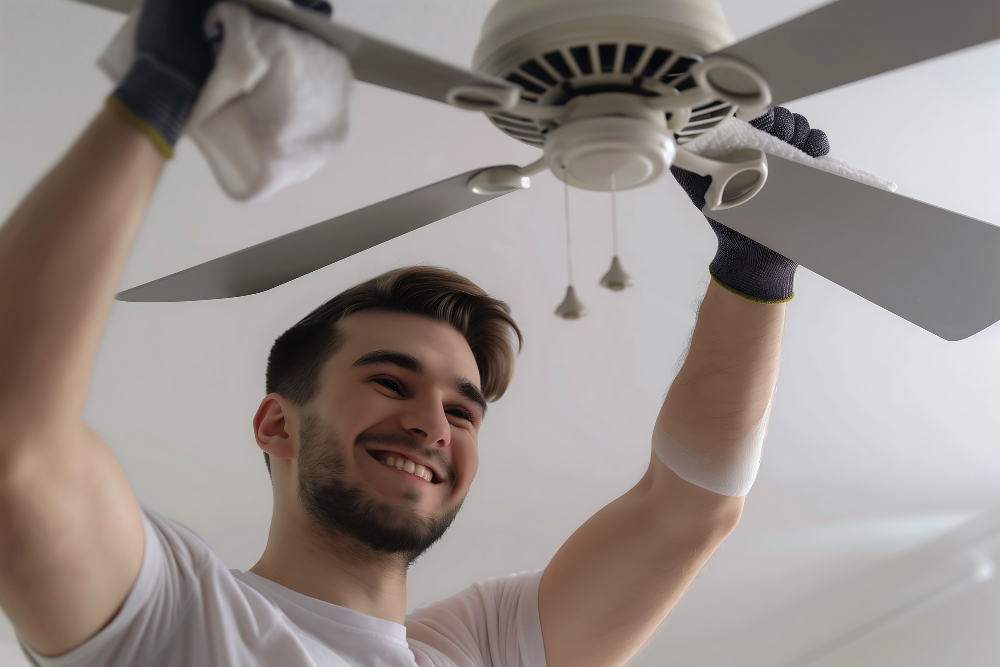
Ceiling fans are one of the most practical fixtures in any home. They circulate air efficiently, help with cooling and heating, and often come with built-in light fixtures that brighten your living space. But what happens when the light bulb in your ceiling fan burns out? You flip the switch, and nothing happens. Before you grab a ladder and a new bulb, it’s essential to understand how to replace a light bulb in a ceiling fan safely and correctly.
This comprehensive guide will walk you through every step—from choosing the right bulb type to safely reinstalling your fan’s light cover—so you can complete this task confidently without calling an electrician.
Why Knowing How to Replace a Ceiling Fan Light Bulb Matters
Replacing a ceiling fan light bulb might seem simple, but it’s one of those household chores that requires a bit of care and attention. Doing it incorrectly can lead to problems such as:
- Damaging the light fixture
- Breaking the glass globe or bulb
- Using the wrong wattage bulb, which can overheat the fixture
- Electric shock risk if safety precautions aren’t followed
By understanding the proper method, you’ll not only keep your home safe but also extend the life of your fan and its light assembly.
Step 1: Turn Off the Power
Before you even touch the ceiling fan, turn off the power. This is the most critical safety step.
- Switch off the fan and light at the wall switch.
Don’t rely solely on the pull chain—make sure the wall switch is off. - If possible, turn off the circuit breaker.
Especially if you’re unsure about wiring or if the fan doesn’t respond to the switch. It’s better to be safe than sorry. - Wait a few minutes for the bulb to cool down.
If the light was on recently, the bulb might still be hot. Touching it could result in burns.
Step 2: Prepare Your Workspace
Since most ceiling fans are overhead, you’ll need to create a safe and steady working environment.
- Use a sturdy step ladder or stool.
Make sure it’s stable and tall enough for you to comfortably reach the fixture without stretching or leaning. - Lay down a towel or blanket underneath the fan.
This protects the floor in case you accidentally drop the bulb or glass cover. - Have your replacement bulb ready before you climb up.
It saves time and minimizes risk while you’re on the ladder.
Step 3: Remove the Light Fixture Cover or Globe
Ceiling fan light covers come in different designs, and removing them properly depends on the type of fixture. Here are the most common ones:
1. Screw-On Glass Globe
This type usually twists off counterclockwise. Hold the globe gently with both hands and twist until it loosens.
- If it’s stuck, use a rubber jar opener for extra grip.
- Be careful not to apply too much pressure—old glass can crack easily.
2. Clipped or Notched Cover
Some light covers are held in place by metal clips or small screws.
- Loosen the clips or screws while supporting the glass with one hand.
- Once loosened, carefully lower the cover.
3. Threaded Shade or Dome
If your fan has multiple bulb domes (common in 3- or 4-light fans), each may unscrew individually from the base. Hold the metal rim and rotate counterclockwise to remove.
Step 4: Remove the Old Bulb
Once you have access to the bulb, it’s time to remove it.
- Grip the bulb firmly but gently.
If it’s a standard screw-in bulb, turn it counterclockwise until it loosens. - For pin-type bulbs (CFL or LED GU24 types):
Hold the base and pull straight down—do not twist. - Dispose of the old bulb properly.
- Incandescent bulbs can go in the trash (wrapped in paper or plastic).
- CFLs and fluorescent bulbs should be recycled at a designated collection center because they contain small amounts of mercury.
Step 5: Choose the Right Replacement Bulb
This step is crucial! Using the wrong bulb can cause poor lighting or even damage your ceiling fan.
Check These Factors Before Buying:
- Bulb Base Type:
- Most ceiling fans use E26 (standard medium base) bulbs.
- Some compact fans use smaller E12 (candelabra base) bulbs.
- Wattage:
- Always check the maximum wattage listed inside the fixture or in your fan’s manual.
- Exceeding this limit can overheat the fixture and pose a fire hazard.
- Bulb Type:
- LED bulbs are the best choice—they’re energy-efficient, bright, and long-lasting.
- Incandescent bulbs give a warmer glow but consume more electricity.
- CFL bulbs are efficient but take time to reach full brightness.
- Brightness and Color Temperature:
- For living rooms: Choose 2700K–3000K (warm white).
- For kitchens or workspaces: Choose 4000K–5000K (cool white).
- Aim for 800–1600 lumens for adequate brightness.
Step 6: Install the New Bulb
Now that you’ve selected the correct bulb, it’s time to install it.
- Insert the bulb gently into the socket.
- For screw-type bulbs, twist clockwise until snug.
- Don’t overtighten; just ensure it’s secure.
- For pin-type bulbs, align the pins with the socket holes and push straight in until it clicks into place.
- Double-check that it’s secure and not crooked or loose.
Step 7: Reattach the Light Cover or Globe
Once the bulb is in place, it’s time to reassemble your fixture.
- Align the cover carefully and tighten screws or clips evenly.
- If it’s a screw-on globe, rotate clockwise until snug but not overly tight.
Overtightening may crack the glass or strip the threads.
Make sure everything feels secure before moving to the next step.
Step 8: Turn the Power Back On and Test
Flip the switch or turn the breaker back on, then test your ceiling fan light.
- If the light turns on—great job! You’ve successfully replaced your ceiling fan bulb.
- If it doesn’t work, try these quick checks:
- Make sure the bulb is screwed in properly.
- Check that the wall switch or pull chain is on.
- Verify the circuit breaker hasn’t tripped.
- Try another new bulb to rule out a defective one.
Step 9: Clean the Fixture and Fan (Optional but Recommended)
Since you already have easy access to the fixture, it’s a good opportunity to do a little maintenance.
- Wipe down the glass cover with a soft cloth and mild soap solution.
- Dust the fan blades to prevent buildup that can cause wobbling or imbalance.
- Check for loose screws or rattling parts and tighten as needed.
This quick cleanup can improve your fan’s performance and extend its lifespan.
Common Mistakes to Avoid
When learning how to replace a light bulb in a ceiling fan, homeowners often make a few simple errors. Avoid these to keep your fixture in top shape:
- Using a bulb with too high wattage.
It can cause overheating or even melt parts of the fixture. - Forgetting to turn off power.
This increases the risk of electric shock. - Touching halogen bulbs with bare hands.
Oils from your skin can shorten the bulb’s life—use a tissue or gloves. - Not cleaning the cover before reinstalling.
Dust inside the glass can dim the light output. - Ignoring compatibility.
Some modern fans with dimmer controls require dimmable LED bulbs. Always check the manual.
How Often Should You Replace Ceiling Fan Bulbs?
The lifespan of a bulb depends on its type and usage:
- Incandescent bulbs: 750–1,000 hours
- CFL bulbs: 8,000–10,000 hours
- LED bulbs: 15,000–25,000 hours
If you find that bulbs burn out frequently, it could indicate an electrical issue, excess vibration, or wrong bulb type. Switching to high-quality LEDs often solves these problems.
Final Thoughts: Replacing Ceiling Fan Light Bulbs Made Easy
Learning how to replace a light bulb in a ceiling fan isn’t just about screwing in a new bulb—it’s about understanding safety, choosing the right bulb, and maintaining your fixture for long-term efficiency. By following the step-by-step process above, you can save time, avoid hazards, and ensure your ceiling fan light continues to shine brightly for years.
